LaunchBox - Review and Setup Guide!

First, I fucked up because I was using Mupen64 Plus-Next GLES3, which is intended for lower end hardware and I think is still in WIP. Full disclosure, I didn't own a 64 growing up, so I don't have childhood memories of extensive gameplay on original hardware to compare emulators to, so if you did, you'll probably notice incorrect sound or graphical glitches that I'm likely to miss.

So I downloaded the correct version Mupen64 Plus-Next and tested it with Super Mario 64, Star Fox 64 and some console pushers such as Perfect Dark and Resident Evil. From what I saw, I was able to up scale to 1440x1080 with enhancements and I didn't see any glitches. This core also has support for vulkan.

The best thing about game emulation is the ability to upscale. I really need a better original Xbox emulator so I can play KOTOR.
 
Retroarch is going to have to better with the controller mapping.

I understand that there are many people who will just use an Xbox 360/One controller for their PC game and Emulation and I also appreciate Retrobit and 8bitdo releasing config files but there has to be a way for people using other controllers to map them to the program without the shit becoming a big ass problem.

I get it, an NES controller is basic as hell in the 2020s but there are people who want to emulate Atari with the CX40 joy stick. Those controllers are iconic parts of gaming history.
 
Last edited:
So on July 19th, I was bitching and complaining about Retroarch controller mapping and I see I wasn't alone in this issue.

This is a problem that the devs are going to have to fix. The retropad is fine if you're using an SNES, Playstion or Xbox inspired controller because that layout has become the industry standard but it doesn't take into account Sega's pre-Saturn controllers, NES and Atari's old controllers, Plus the N64.

Yes, Retrobit and 8bitdo do release autoconfig profiles that help the issue but there has to be a better way to use multiple controllers on retroarch.


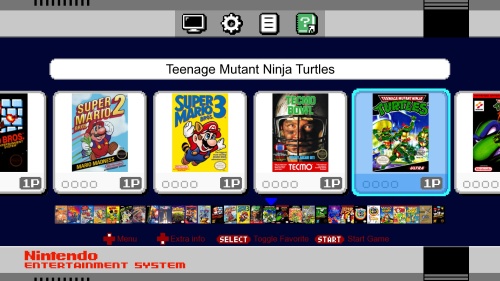
I did not want to install Attract-mode and use an NES mini theme. The theme is clean and adorable and it has the music but the reasons I'm using this is because I had to install a second instance of Retroarch solely for NES to use the NES controller with. Although I do like the theme and might set up one for use with the SNES.

 
Last edited:
Cemu emulation seems to be coming along nicely

managed to get 50 to 60 fps with Mario Kart 8...
 
Back to the single-board-computer side of the game.

Retroflag has finally came out with an upgrade to their NESpi case

This case looks the same as their previous NES case, except it has a functioning cartridge slot and is made for Raspberry Pi 4.

It comes with a cooling fan and a "cartridge" which is used to hold a 2.5 inch SSD for extra space.

This is important because the Pi 4 is powerful enough to run Dreamcast and PSP and more space will be needed for the bios and isos. Although you'll still need an SD card for your OS. The SSD is not required if you don't need the extra space.

I do like the fact that they got the idea from Roshambo to use cartidge shells as hard drive holders but I'm carious as to how they are going to do this for SNES and Genesis.

 
Remember Gents, you are not a pirate, you are a video game preservationist and this is another reason why you need keep your classic game collections backed up and complete.

 
Thoughts on Virtual Boy emulation.

The Beetle VB core is your only option for Virtual Boy emulation (the other is for the Oculus Rift) and the core handles the emulation quite well. Also it is possible to play VB games in traditional 2D because much the Virtual Boy's gimmic was paralax scrolling to create the illusion of depth, something that was present in video games as early as the NES.

The core has options to change the black and red color display to black andwhite, black and green, black and blue, black and cyan. You can also use 3D glasses, including the classic red and blue glasses or a cyberscope device. If you are playing your VB games in 2D, make sure you keep the Anaglyph preset to "off". Also when it comes to "Right analog to digital" switch that to "on" so the right thumbstick on your controller can take control of the second d-pad that the VB had.

I'll upload the full game library in the gaming forum. There isn't much help for VB emulation around the net because honestly most people don't care, the console survives today mostly for hobbyists and collectors and the game library is mostly meh.

I may purchase some red and blue anaglyph glasses and come and offer my thoughts in the future.

Also do be careful, even in 2D this shit can give you a headache, keep your peppermints or mint gum close and don't play this when you're sleepy and I wouldn't allow this for kids under 7 in 2D or 3D.
 
This is the Playnite frontend with a Nintendo Switch inspired theme for what's left of my PC games

kYX7Wo5.png
 
I've seen a few new cores for the PlayStation 1.

They all work fine for me, so I'm guessing they are intended for mobile phones and single-board computers, where power is more limited. The PS1 is not pushing anybody's hardware in 2020-2021 and it's wasn't a complicated piece of hardware like the Saturn was so it's emulation is not complicated. A trac-fone can run a PS1 emulator at 60fps. The choice of core is up to you.

Retrobit's white Saturn controller is gorgeous!
117250153_320724232312228_6649498088397361058_n.jpg
 
PS4 inspired theme for Playnite...
Looks good but is about to become dated with the PS5 on the horizon.

h4AePjX.png
 
Currently testing the Saturn emulator YabaSanshiro, I am considering moving away from Beetle Saturn..
 
I have moved my Dreamcast emulation from Redream back to Flycast via retroarch

Dreamcast emulation seems to be in a pretty good state. Soulcalibur runs at 1080p60 as does other console pushers as such as Resident Evil and Shenmue, although I personally play the games at 640x480 as to not expose the graphical flaws. 2D fighters perform beautifully on it.

Also I'm glad that Dreamcast emulation is in such a good state because it seems that Dreamcast gamers are more apt to playing games on their actual Dreamcasts (so many of us have them laying around) and it would seem that Dreamcast emulation would get left behind but it's in a good state.

Redream is still a good emulation although it's behind a paywall for some of its features. It's one of those "no-hassle" emulators similar to Dophin, so if you like those guys' work, support them.
 
Also here's a tip for Dreamcast isos,

What format of Dreamcast game should i download? The CDI or GDI?

The Dreamcast didn't use regular CD's like the PS1 or DVD's like the PS2 but it's own format called GD-ROM as a way to stop piracy. Spoiler Alert: It didn't work .
GD-ROM's can hold up to 1 GB of data, this is more than what a regular CD-R can hold which is about 700 MB. So pirates had to get creative. They ripped, compressed/down-sampled the games so they can fit on a regular 700 MB CD-R. Using a program created by Padus called "DiscJuggler" they saved their rips with the extension .cdi
  • CDI = Are RIPS of the original discs made by people. They have generally lower quality and can have bugs.
  • GDI = Are the original Discs. They are perfect 1:1 copies, no bugs, nothing is ripped.
Yes, all this is amazing but which one do I download? It depends...
  • Download GDI:
    -If you will emulate the game using any Emulator for PC, Android, etc.
    -If you own a Dreamcast that was moded with GDEMU.
  • Download CDI:
    -If you own a Dreamcast that was moded to play CD-R and you will burn the .cdi to a CD.

(in short, download GDI's for emulation, unless you want compressed audio (that sounds like a landline phone) and compressed FMV that looks like it's from the early 90s)
 
Sad news, tecmobowl.org has closed down.

This site was the main resource for roster updates to Tecmo Bowl

Here are the other Tecmo Bowl resources.


Last edited:
Sad news, tecmobowl.org has closed down.

This site was the main resource for roster updates to Tecmo Bowl

Here are the other Tecmo Bowl resources.


Damn
 
ETA You can still get online with Flycast, it seems the fans have maintained the old Dreamcast sites.
 
Back
Top