Xbox One Console Reviews


IMG_4165.jpg


Ubisoft has announced their fiscal quarter results today and has stated that The a Division is still on track to release in their Fiscal Year 2016, but it’s been moved to Q4 release timeframe. The fourth quarter for Ubisoft is actually between January and March 2016.

Earlier this year, Ubisoft stated the title was on track for this year, but it that seems to have changed. Ubisoft announced last week that four different studios are collaborating on the title, with Massive Entertainmemt leading development.
Rainbow Six Siege is still on track for a 2015 release.

SOURCE: Ubisoft via @VG_Dave

Announced too early. I understand marketing and the need to build excitement...but you announced a game that was no where alpha staging. I'll wait for a good title, so I just don't want to see or hear about The Division until it goes to pressing.
 
lol


msstudios.jpg


Today, we’re proud to announce that Casey Hudson has joined Microsoft in the role of Creative Director at Microsoft Studios, where he’s working on Microsoft HoloLens, Xbox, and other awesome projects. He reports directly to Kudo Tsunoda, CVP of Next Gen Experiences, in this new role and he’s currently busy relocating from Edmonton, Canada to his new home here in Redmond, WA.

Over the course of his 15 years at BioWare/EA, Casey has led the development of several of the industry’s biggest and best titles. He has brought a natural leadership style to his role at the helm of teams that have included over 200 developers, providing a vision for the creative, technical, and business aspects of some of gaming’s most important franchises. His role as Project Director placed him in charge of the creative and operational vision for development of franchises such as Mass Effect and Star Wars, while his responsibilities as Executive Producer involved a broader business strategy for expansion to other media. Since 2000, Casey has led teams in the development of major “event titles” that went on to achieve both critical and commercial success, giving him one of the most outstanding track records in the history of AAA game development.

With a degree in Engineering and a passion for art and music, Casey applies a full-spectrum approach to his pursuit of delivering the most exciting and memorable entertainment experiences in the world. We recently sat down with him to discuss his new role at Microsoft, and the exciting things that he will help us achieve with Xbox and HoloLens as we look to 2015 and beyond.

Xbox Wire: What can you share about your new role?

Casey Hudson: As Creative Director at Microsoft Studios, my primary focus will be the creative direction of HoloLens Experiences. I am extremely passionate about the potential of this kind of technology, as anyone who’s talked with me over the last couple of years can attest. I feel that the work being done at Microsoft on mixed reality and holographic computing will have a tremendous impact on how all of us interact with technology in the coming years. It’s an honor to be able to join such an incredibly talented team, and to work on something that will fundamentally advance the role computers play in our daily lives.

I will also be working with innovative new Xbox titles, helping them to find success through clear direction and creative vision. I will be involved in driving a creative focus for Xbox and Windows gaming, and I couldn’t be more excited to be involved in that. The projects I’ve seen in development so far are amazing, and it’s going to be an awesome experience helping these teams cross the finish line.

Xbox Wire: What are you most excited about in coming to work for Microsoft?

Casey Hudson: I’ve been an Xbox fan since I first learned about it during the development of Star Wars: Knights of the Old Republic. The games I’ve worked on have found the greatest success on Xbox, and it’s my preferred way to play games. I’m also a lifelong PC player, and I feel like I grew up with the advent of the personal computer. Given all that, coming to work for Microsoft is a special honor for me.

But in addition to the privilege of working for Microsoft and Xbox, I am particularly excited about working on HoloLens. I was fortunate to try an early prototype of HoloLens before it was announced, and I was blown away by the technology and what it was already capable of. Walking on Mars while sipping coffee in an office setting, Skyping with a friend who can draw on the walls of my environment, sculpting an object in 3D modeling software while a hologram of it sits on a table next to me... These first experiences cemented my belief that holographic computing was where I needed to be. There’s no end to the potential of this technology, and I look forward to being able to influence the full-spectrum experience on HoloLens, from hardware to OS, to applications and games.

Above all, I’m most excited about how much I will be able to learn from the team at Microsoft, who have already accomplished so much with HoloLens.

Xbox Wire: When you’re not working, what do you like to do for fun?

Casey Hudson: Naturally, I love playing video games, whether on console, PC, or mobile. I tend to enjoy the extreme ends of the spectrum most: the biggest AAA blockbusters, and the tiniest, most experimental indies. Playing games with my two young sons is a particularly good learning experience – not just because they’re often better at it than me, but because of how the next generation views digital entertainment having grown up in the age of digital downloads, touchscreens, and mobile games. Seeing things through their eyes helps me build a vision of where things are going next.

I also try to get away from digital and virtual worlds as much as possible when I’m away from work. As a private pilot, I like the challenge of a whole different set of problem-solving and communication challenges, where the stakes are much more real. Music is another outlet for me (guitar, keyboard, saxophone), as is art (be it painting concepts in Photoshop or simply drawing on a sketchpad). I have deep passions in both the arts and sciences, and the more I do of one, the more I crave the other. And ultimately, that’s what led me to do the kind of work I do today – a balanced approach where I’m able to work with amazingly talented team members across a wide spectrum of abilities. So while I dabble in a lot of different things and have an appreciation for many disciplines, it only gives me a deeper appreciation for the world-class experts I’ve had the privilege to work with in my career.

Thanks to Casey for taking the time to speak with us. We’re very excited about what he’ll be working on here at Microsoft in the coming months and years and can’t wait to share more.
 

Here are this week’s games and add-on deals on the Xbox Games Store. Discounts are valid now through 25 May 2015.
Xbox One


<table style="border-collapse: collapse; table-layout: fixed; width: 395pt;" border="0" cellpadding="0" cellspacing="0" width="526"> <tbody> <tr style="height: 15.75pt;"> <td class="xl6729280" style="height: 15.75pt; width: 214pt;" height="21" width="285">Content Title</td> <td class="xl6829280" style="border-left: none; width: 109pt;" width="145">Content Type</td> <td class="xl6929280" style="border-left: none; width: 72pt;" width="96">Discount %</td> </tr> <tr style="height: 15.75pt;"> <td class="xl7029280" style="height: 15.75pt;" height="21">Metal Gear Solid V: Ground Zeroes </td> <td class="xl6529280" style="border-left: none;">Xbox One Game</td> <td class="xl6629280" style="border-left: none; width: 72pt;" width="96">50%</td> </tr> <tr style="height: 15.0pt;"> <td class="xl7029280" style="height: 15.0pt; border-top: .5pt solid white; font-size: 11.0pt; color: black; font-weight: 400; text-decoration: underline; text-underline-style: single; text-line-through: none; font-family: Calibri; border-right: .5pt solid white; border-bottom: .5pt solid white; border-left: none; background: #EBF1DE; mso-pattern: #D8E4BC none;" height="20">Dragon Age: Inquisition </td> <td class="xl6529280" style="border-top: none; border-left: none; font-size: 11.0pt; color: black; font-weight: 400; text-decoration: none; text-underline-style: none; text-line-through: none; font-family: Calibri; border: .5pt solid white; background: #EBF1DE; mso-pattern: #D8E4BC none;">Xbox One Game</td> <td class="xl6629280" style="border-top: .5pt solid white; border-left: .5pt solid white; width: 72pt; font-size: 11.0pt; color: black; font-weight: 400; text-decoration: none; text-underline-style: none; text-line-through: none; font-family: Calibri; border-right: none; border-bottom: .5pt solid white; background: #EBF1DE; mso-pattern: #D8E4BC none;" width="96">50%</td> </tr> <tr style="height: 15.0pt;"> <td class="xl7029280" style="height: 15.0pt; border-top: none;" height="20">Dragon Age: Inquisition Deluxe Edition</td> <td class="xl6529280" style="border-top: none; border-left: none;">Xbox One Game</td> <td class="xl6629280" style="border-top: none; border-left: none; width: 72pt;" width="96">50%</td> </tr> <tr style="height: 15.0pt;"> <td class="xl7029280" style="height: 15.0pt; border-top: .5pt solid white; font-size: 11.0pt; color: black; font-weight: 400; text-decoration: underline; text-underline-style: single; text-line-through: none; font-family: Calibri; border-right: .5pt solid white; border-bottom: .5pt solid white; border-left: none; background: #EBF1DE; mso-pattern: #D8E4BC none;" height="20">Dragon Ball Xenoverse </td> <td class="xl6529280" style="border-top: none; border-left: none; font-size: 11.0pt; color: black; font-weight: 400; text-decoration: none; text-underline-style: none; text-line-through: none; font-family: Calibri; border: .5pt solid white; background: #EBF1DE; mso-pattern: #D8E4BC none;">Xbox One Game</td> <td class="xl6629280" style="border-top: .5pt solid white; border-left: .5pt solid white; width: 72pt; font-size: 11.0pt; color: black; font-weight: 400; text-decoration: none; text-underline-style: none; text-line-through: none; font-family: Calibri; border-right: none; border-bottom: .5pt solid white; background: #EBF1DE; mso-pattern: #D8E4BC none;" width="96">33%</td> </tr> <tr style="height: 15.0pt;"> <td class="xl7029280" style="height: 15.0pt; border-top: none;" height="20">Unmechanical: Extended</td> <td class="xl6529280" style="border-top: none; border-left: none;">Xbox One Game</td> <td class="xl6629280" style="border-top: none; border-left: none; width: 72pt;" width="96">40%</td> </tr> <tr style="height: 15.0pt;"> <td class="xl7029280" style="height: 15.0pt; border-top: .5pt solid white; font-size: 11.0pt; color: black; font-weight: 400; text-decoration: underline; text-underline-style: single; text-line-through: none; font-family: Calibri; border-right: .5pt solid white; border-bottom: .5pt solid white; border-left: none; background: #EBF1DE; mso-pattern: #D8E4BC none;" height="20">Jet Car Stunts</td> <td class="xl6529280" style="border-top: none; border-left: none; font-size: 11.0pt; color: black; font-weight: 400; text-decoration: none; text-underline-style: none; text-line-through: none; font-family: Calibri; border: .5pt solid white; background: #EBF1DE; mso-pattern: #D8E4BC none;">Xbox One Game</td> <td class="xl6629280" style="border-top: .5pt solid white; border-left: .5pt solid white; width: 72pt; font-size: 11.0pt; color: black; font-weight: 400; text-decoration: none; text-underline-style: none; text-line-through: none; font-family: Calibri; border-right: none; border-bottom: .5pt solid white; background: #EBF1DE; mso-pattern: #D8E4BC none;" width="96">40%</td> </tr> <tr style="height: 15.0pt;"> <td class="xl7029280" style="height: 15.0pt; border-top: none;" height="20">
</td> <td class="xl6529280" style="border-top: none; border-left: none;">
</td> <td class="xl6629280" style="border-top: none; border-left: none; width: 72pt;" width="96">
</td> </tr> </tbody> </table>
Please note: prices and availability are subject to change and may vary by region. Deals with Gold are valid for Xbox Live Gold members.
Xbox 360
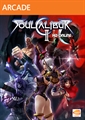
<table style="border-collapse: collapse; table-layout: fixed; width: 395pt;" border="0" cellpadding="0" cellspacing="0" width="526"> <tbody> <tr style="height: 15.75pt;"> <td class="xl6926404" style="height: 15.75pt; width: 214pt;" height="21" width="285">Content Title</td> <td class="xl7026404" style="border-left: none; width: 109pt;" width="145">Content Type</td> <td class="xl7126404" style="border-left: none; width: 72pt;" width="96">Discount %</td> </tr> <tr style="height: 15.75pt;"> <td class="xl6826404" style="height: 15.75pt;" height="21">Dragon Ball Xenoverse </td> <td class="xl6626404" style="border-left: none;">Games On Demand</td> <td class="xl6726404" style="border-left: none; width: 72pt;" width="96">33%</td> </tr> <tr style="height: 15.0pt;"> <td class="xl6826404" style="height: 15.0pt; border-top: .5pt solid white; font-size: 11.0pt; color: black; font-weight: 400; text-decoration: underline; text-underline-style: single; text-line-through: none; font-family: Calibri; border-right: .5pt solid white; border-bottom: .5pt solid white; border-left: none; background: #EBF1DE; mso-pattern: #D8E4BC none;" height="20">GRID: Autosport </td> <td class="xl6626404" style="border-top: none; border-left: none; font-size: 11.0pt; color: black; font-weight: 400; text-decoration: none; text-underline-style: none; text-line-through: none; font-family: Calibri; border: .5pt solid white; background: #EBF1DE; mso-pattern: #D8E4BC none;">Games On Demand</td> <td class="xl6726404" style="border-top: .5pt solid white; border-left: .5pt solid white; width: 72pt; font-size: 11.0pt; color: black; font-weight: 400; text-decoration: none; text-underline-style: none; text-line-through: none; font-family: Calibri; border-right: none; border-bottom: .5pt solid white; background: #EBF1DE; mso-pattern: #D8E4BC none;" width="96">50%</td> </tr> <tr style="height: 15.0pt;"> <td class="xl6826404" style="height: 15.0pt; border-top: none;" height="20">Soulcalibur II HD Online </td> <td class="xl6626404" style="border-top: none; border-left: none;">Arcade</td> <td class="xl6726404" style="border-top: none; border-left: none; width: 72pt;" width="96">75%</td> </tr> <tr style="height: 15.0pt;"> <td class="xl6826404" style="height: 15.0pt; border-top: .5pt solid white; font-size: 11.0pt; color: black; font-weight: 400; text-decoration: underline; text-underline-style: single; text-line-through: none; font-family: Calibri; border-right: .5pt solid white; border-bottom: .5pt solid white; border-left: none; background: #EBF1DE; mso-pattern: #D8E4BC none;" height="20">Star Trek </td> <td class="xl6626404" style="border-top: none; border-left: none; font-size: 11.0pt; color: black; font-weight: 400; text-decoration: none; text-underline-style: none; text-line-through: none; font-family: Calibri; border: .5pt solid white; background: #EBF1DE; mso-pattern: #D8E4BC none;">Games On Demand</td> <td class="xl6726404" style="border-top: .5pt solid white; border-left: .5pt solid white; width: 72pt; font-size: 11.0pt; color: black; font-weight: 400; text-decoration: none; text-underline-style: none; text-line-through: none; font-family: Calibri; border-right: none; border-bottom: .5pt solid white; background: #EBF1DE; mso-pattern: #D8E4BC none;" width="96">75%</td> </tr> <tr style="height: 15.0pt;"> <td class="xl6826404" style="height: 15.0pt; border-top: none;" height="20">PAC-MAN and the Ghostly Adventures </td> <td class="xl6626404" style="border-top: none; border-left: none;">Games On Demand</td> <td class="xl6726404" style="border-top: none; border-left: none; width: 72pt;" width="96">66%</td> </tr> <tr style="height: 15.0pt;"> <td class="xl6826404" style="height: 15.0pt; border-top: .5pt solid white; font-size: 11.0pt; color: black; font-weight: 400; text-decoration: underline; text-underline-style: single; text-line-through: none; font-family: Calibri; border-right: .5pt solid white; border-bottom: .5pt solid white; border-left: none; background: #EBF1DE; mso-pattern: #D8E4BC none;" height="20">Dragon Age Inquisition Deluxe Upgrade </td> <td class="xl6626404" style="border-top: none; border-left: none; font-size: 11.0pt; color: black; font-weight: 400; text-decoration: none; text-underline-style: none; text-line-through: none; font-family: Calibri; border: .5pt solid white; background: #EBF1DE; mso-pattern: #D8E4BC none;">Add-On</td> <td class="xl6726404" style="border-top: .5pt solid white; border-left: .5pt solid white; width: 72pt; font-size: 11.0pt; color: black; font-weight: 400; text-decoration: none; text-underline-style: none; text-line-through: none; font-family: Calibri; border-right: none; border-bottom: .5pt solid white; background: #EBF1DE; mso-pattern: #D8E4BC none;" width="96">25%</td> </tr> <tr style="height: 15.0pt;"> <td class="xl6826404" style="height: 15.0pt; border-top: none;" height="20">Dragon Age 2</td> <td class="xl6626404" style="border-top: none; border-left: none;">Games On Demand</td> <td class="xl6726404" style="border-top: none; border-left: none; width: 72pt;" width="96">60%</td> </tr> <tr style="height: 15.0pt;"> <td class="xl6826404" style="height: 15.0pt; border-top: .5pt solid white; font-size: 11.0pt; color: black; font-weight: 400; text-decoration: underline; text-underline-style: single; text-line-through: none; font-family: Calibri; border-right: .5pt solid white; border-bottom: .5pt solid white; border-left: none; background: #EBF1DE; mso-pattern: #D8E4BC none;" height="20">Dragon Age: Origins</td> <td class="xl6626404" style="border-top: none; border-left: none; font-size: 11.0pt; color: black; font-weight: 400; text-decoration: none; text-underline-style: none; text-line-through: none; font-family: Calibri; border: .5pt solid white; background: #EBF1DE; mso-pattern: #D8E4BC none;">Games On Demand</td> <td class="xl6726404" style="border-top: .5pt solid white; border-left: .5pt solid white; width: 72pt; font-size: 11.0pt; color: black; font-weight: 400; text-decoration: none; text-underline-style: none; text-line-through: none; font-family: Calibri; border-right: none; border-bottom: .5pt solid white; background: #EBF1DE; mso-pattern: #D8E4BC none;" width="96">70%</td> </tr> <tr style="height: 15.0pt;"> <td class="xl6826404" style="height: 15.0pt; border-top: none;" height="20">Dragon Age: Origins – Awakening</td> <td class="xl6626404" style="border-top: none; border-left: none;">Add-On</td> <td class="xl6726404" style="border-top: none; border-left: none; width: 72pt;" width="96">50%</td> </tr> <tr style="height: 15.0pt;"> <td class="xl6826404" style="height: 15.0pt; border-top: .5pt solid white; font-size: 11.0pt; color: black; font-weight: 400; text-decoration: underline; text-underline-style: single; text-line-through: none; font-family: Calibri; border-right: .5pt solid white; border-bottom: .5pt solid white; border-left: none; background: #EBF1DE; mso-pattern: #D8E4BC none;" height="20">Metal Gear Solid 2 & 3 HD</td> <td class="xl6626404" style="border-top: none; border-left: none; font-size: 11.0pt; color: black; font-weight: 400; text-decoration: none; text-underline-style: none; text-line-through: none; font-family: Calibri; border: .5pt solid white; background: #EBF1DE; mso-pattern: #D8E4BC none;">Games On Demand</td> <td class="xl6726404" style="border-top: .5pt solid white; border-left: .5pt solid white; width: 72pt; font-size: 11.0pt; color: black; font-weight: 400; text-decoration: none; text-underline-style: none; text-line-through: none; font-family: Calibri; border-right: none; border-bottom: .5pt solid white; background: #EBF1DE; mso-pattern: #D8E4BC none;" width="96">50%</td> </tr> <tr style="height: 15.0pt;"> <td class="xl6826404" style="height: 15.0pt; border-top: none;" height="20">Metal Gear Solid V: Ground Zeroes </td> <td class="xl6626404" style="border-top: none; border-left: none;">Games On Demand</td> <td class="xl6726404" style="border-top: none; border-left: none; width: 72pt;" width="96">50%</td> </tr> <tr style="height: 15.0pt;"> <td class="xl6826404" style="height: 15.0pt; border-top: .5pt solid white; font-size: 11.0pt; color: black; font-weight: 400; text-decoration: underline; text-underline-style: single; text-line-through: none; font-family: Calibri; border-right: .5pt solid white; border-bottom: .5pt solid white; border-left: none; background: #EBF1DE; mso-pattern: #D8E4BC none;" height="20">Metal Gear Solid Peace Walker HD Edition </td> <td class="xl6626404" style="border-top: none; border-left: none; font-size: 11.0pt; color: black; font-weight: 400; text-decoration: none; text-underline-style: none; text-line-through: none; font-family: Calibri; border: .5pt solid white; background: #EBF1DE; mso-pattern: #D8E4BC none;">Games On Demand</td> <td class="xl6726404" style="border-top: .5pt solid white; border-left: .5pt solid white; width: 72pt; font-size: 11.0pt; color: black; font-weight: 400; text-decoration: none; text-underline-style: none; text-line-through: none; font-family: Calibri; border-right: none; border-bottom: .5pt solid white; background: #EBF1DE; mso-pattern: #D8E4BC none;" width="96">50%</td> </tr> <tr style="height: 15.0pt;"> <td class="xl6826404" style="height: 15.0pt; border-top: none;" height="20">Mafia II Jimmy’s Vendetta</td> <td class="xl6626404" style="border-top: none; border-left: none;">Add-On</td> <td class="xl6726404" style="border-top: none; border-left: none; width: 72pt;" width="96">50%</td> </tr> <tr style="height: 15.0pt;"> <td class="xl6826404" style="height: 15.0pt; border-top: .5pt solid white; font-size: 11.0pt; color: black; font-weight: 400; text-decoration: underline; text-underline-style: single; text-line-through: none; font-family: Calibri; border-right: .5pt solid white; border-bottom: .5pt solid white; border-left: none; background: #EBF1DE; mso-pattern: #D8E4BC none;" height="20">Mafia II Joe’s Adventure</td> <td class="xl6626404" style="border-top: none; border-left: none; font-size: 11.0pt; color: black; font-weight: 400; text-decoration: none; text-underline-style: none; text-line-through: none; font-family: Calibri; border: .5pt solid white; background: #EBF1DE; mso-pattern: #D8E4BC none;">Add-On</td> <td class="xl6726404" style="border-top: .5pt solid white; border-left: .5pt solid white; width: 72pt; font-size: 11.0pt; color: black; font-weight: 400; text-decoration: none; text-underline-style: none; text-line-through: none; font-family: Calibri; border-right: none; border-bottom: .5pt solid white; background: #EBF1DE; mso-pattern: #D8E4BC none;" width="96">50%</td> </tr> </tbody> </table>
Please note: prices and availability are subject to change and may vary by region. Deals with Gold are valid for Xbox Live Gold members.

 
The Witcher 3: Wild Hunt - Launch Trailer ("Go Your Way")


Assassin’s Creed Syndicate - Welcome to the Family Trailer


DOOM 4 - Gameplay Teaser Trailer


Dell

Xbox One 500 GB Bundle - Includes Halo: MasterChief Collection, State of Decay, Killer Instinct, and Halo Dogtags $379.99


$100 Dell Promo eGift Card Included

<table width="100%"><tbody><tr><td class="para_small">
</td></tr></tbody></table>
http://accessories.dell.com/sna/pro...0055-1225267-47e2b97a306a4e03af328627d1de7bab

I bit the bullet and ordered this. You don't get the retail version of Killer Instinct you only get one additional free character for the free to play version.

You don't get the gift card right away either, they say it can take up to a month for them to email it to you. I guess they are hoping you forget about it and it gets lost in the email.

Just a heads up for anyone interested.
 

Today, we’re excited to deliver one of the most requested live TV features on Xbox Feedback to our fans. All Xbox One owners in the U.S. and Canada can now enjoy over-the-air TV alongside their gameplay with the Hauppauge Digital TV Tuner for Xbox One.
<center></center>With the Hauppauge TV Tuner for Xbox One and an HDTV antenna, Xbox One owners can look forward to a variety of useful features, such as the ability to pause up to 30 minutes of live TV, watch TV on the right side of your screen while playing games with Snap, and navigate channels using Kinect voice controls. Additionally, users can stream over-the-air TV to other devices within the home using the Xbox app on Windows 10 devices or the Xbox One SmartGlass app on Windows, Windows Phone, iOS and Android, even while someone else is playing a game on Xbox One.

An over-the-air TV bundle, including a Hauppauge Digital TV Tuner for Xbox One and a Mohu Leaf 50 antenna, is now available exclusively at your local Microsoft store and at microsoftstore.com for $99.98 – a $30 savings. The tuner is also available separately for $59.99 at Microsoft stores and Amazon.

Purchase Hauppauge Digital TV Tuner for Xbox One from the Microsoft Store

Purchase Live TV Bundle for Xbox One from the Microsoft Store

Before purchasing the TV tuner or over-the-air bundle, remember to visit gomohu.com/xbox to check which channels are available in your area and find the HDTV antenna that’s right for you. For more information on how to set up your tuner and antenna with Xbox One, check out my how-to video or go to Xbox Support.

Grab your Hauppauge TV Tuner for Xbox One today at participating retailers and check out the Xbox Wire for more information on the Over-the-Air TV Tuner for Xbox One.
 

For a limited time, Xbox fans in the U.S. can get their hands on an Xbox One Special Edition Halo: The Master Chief Collection Bundle featuring a sleek, Cirrus White Xbox One console and wireless controller. The bundle also comes packed with a digital download code for Halo: The Master Chief Collection – the essential Halo fan experience that features the Master Chief’s complete story through four free Halo games: Halo: Combat Evolved Anniversary, Halo 2: Anniversary, Halo 3 and Halo 4. Best of all, it’s all available for ERP $349 in the U.S.
<center>
XboxOne_Console_MCC_US_ANL_RGB-4fd767db-1b01-4148-ac86-7a93c74007a4-301934765.png
</center>The Xbox One Special Edition Halo: The Master Chief Collection Bundle will be available later this month in very limited quantities and for a limited time at participating U.S. retailers while supplies last – so once they’re all gone, they’re all gone! Purchase Xbox One Special Edition Halo: The Master Chief Collection Bundle from the Microsoft Store.
 

Today, we’re excited to deliver one of the most requested live TV features on Xbox Feedback to our fans. All Xbox One owners in the U.S. and Canada can now enjoy over-the-air TV alongside their gameplay with the Hauppauge Digital TV Tuner for Xbox One.
<center></center>With the Hauppauge TV Tuner for Xbox One and an HDTV antenna, Xbox One owners can look forward to a variety of useful features, such as the ability to pause up to 30 minutes of live TV, watch TV on the right side of your screen while playing games with Snap, and navigate channels using Kinect voice controls. Additionally, users can stream over-the-air TV to other devices within the home using the Xbox app on Windows 10 devices or the Xbox One SmartGlass app on Windows, Windows Phone, iOS and Android, even while someone else is playing a game on Xbox One.

An over-the-air TV bundle, including a Hauppauge Digital TV Tuner for Xbox One and a Mohu Leaf 50 antenna, is now available exclusively at your local Microsoft store and at microsoftstore.com for $99.98 – a $30 savings. The tuner is also available separately for $59.99 at Microsoft stores and Amazon.

Purchase Hauppauge Digital TV Tuner for Xbox One from the Microsoft Store

Purchase Live TV Bundle for Xbox One from the Microsoft Store

Before purchasing the TV tuner or over-the-air bundle, remember to visit gomohu.com/xbox to check which channels are available in your area and find the HDTV antenna that’s right for you. For more information on how to set up your tuner and antenna with Xbox One, check out my how-to video or go to Xbox Support.

Grab your Hauppauge TV Tuner for Xbox One today at participating retailers and check out the Xbox Wire for more information on the Over-the-Air TV Tuner for Xbox One.

Awesome idea/accessories, just don't need it right now.
 
I bit the bullet and ordered this. You don't get the retail version of Killer Instinct you only get one additional free character for the free to play version.

You don't get the gift card right away either, they say it can take up to a month for them to email it to you. I guess they are hoping you forget about it and it gets lost in the email.

Just a heads up for anyone interested.

na you'll get that gift card...just send em a follow up email after 20 business days which is how long it takes them to send you the code...I was supposed to get a $50 gc w/ my purchase...sent them a reminder exactly 20 working days after...got it later that day...a few days later I got another one...they screwed up somewhere and they never acknowledged the mistake...totally worth it imo
 
finding a reliable antenna will be the hardest part...but I'll give it a try...only bought cable for the mayweather fight...canceling that shit once the NBA finals are thru


Today, we’re excited to deliver one of the most requested live TV features on Xbox Feedback to our fans. All Xbox One owners in the U.S. and Canada can now enjoy over-the-air TV alongside their gameplay with the Hauppauge Digital TV Tuner for Xbox One.
<center></center>With the Hauppauge TV Tuner for Xbox One and an HDTV antenna, Xbox One owners can look forward to a variety of useful features, such as the ability to pause up to 30 minutes of live TV, watch TV on the right side of your screen while playing games with Snap, and navigate channels using Kinect voice controls. Additionally, users can stream over-the-air TV to other devices within the home using the Xbox app on Windows 10 devices or the Xbox One SmartGlass app on Windows, Windows Phone, iOS and Android, even while someone else is playing a game on Xbox One.

An over-the-air TV bundle, including a Hauppauge Digital TV Tuner for Xbox One and a Mohu Leaf 50 antenna, is now available exclusively at your local Microsoft store and at microsoftstore.com for $99.98 – a $30 savings. The tuner is also available separately for $59.99 at Microsoft stores and Amazon.

Purchase Hauppauge Digital TV Tuner for Xbox One from the Microsoft Store

Purchase Live TV Bundle for Xbox One from the Microsoft Store

Before purchasing the TV tuner or over-the-air bundle, remember to visit gomohu.com/xbox to check which channels are available in your area and find the HDTV antenna that’s right for you. For more information on how to set up your tuner and antenna with Xbox One, check out my how-to video or go to Xbox Support.

Grab your Hauppauge TV Tuner for Xbox One today at participating retailers and check out the Xbox Wire for more information on the Over-the-Air TV Tuner for Xbox One.
 

The Xbox experience across devices is becoming more robust this week as we begin to roll out a host of new features. You’ll notice some old favorites—like avatars—making a comeback, and brand new features—like testing streaming—setting the stage for bigger things to come. Let’s jump in!


  • Xbox on Windows 10
Here’s a closer look at the great new features coming to Xbox on Windows 10 with this month’s Xbox app preview:

Avatars – You can now download and launch the Avatars app from within the Xbox app. After the app is installed, select Customize > Customize your avatar to launch the Avatars app and edit, dress up, and buy new items for your avatar.

Friends updates – We’re making it easier to add friends, designate them as favorites and share your name from the Xbox app. The friends list will also show you which of your friends are in a party, playing multiplayer games, or broadcasting. You can also report or block people from the Xbox app.

Game hubs – Similar to Xbox One, you can now view the game hub for an Xbox One game and view the activity feed curated by the game’s community manager. Click on any game tile, under Home > Recently played or elsewhere in the Xbox app, and you will be taken to the game hub.

Game DVR – You can now alter the keyboard shortcuts used for opening the Game Bar, starting and stopping recording, taking screenshots, and more. Also, you can now view and manage your cloud-based game clips from the Xbox app by selecting Game DVR > Shared.

Testing streaming – The Xbox team needs your help in providing information about your PC’s performance and connectivity characteristics as we prepare to enable game streaming from Xbox One to Windows 10 PCs. To do this, connect your Xbox One to your Windows 10 PC using the Xbox app: from the Connect menu, select your Xbox One console then choose Connect. Once connected, click on Test streaming to anonymously send the team diagnostic information about your PC and network settings.

Turn On/Off your Xbox One Console – The Connect menu in Xbox app has been updated to let you power your Xbox One on and off from your Windows 10 devices when they are on the same home network as your console.
The Xbox app will sign in using your primary Microsoft Account and associated gamertag that you use to sign into Windows 10. If you want to sign in with a different gamertag, you will need to set up a second Microsoft account on your Windows 10 PC. The ability to sign into the Xbox app with a different Microsoft Account/Xbox Profile will be re-enabled in a future update.

  • Xbox One updates
The Xbox team is gearing up for E3 in June and we’ve got some exciting things to share with you there, but first, this month we’re continuing to preview a few things while we gather feedback and work toward making them available to everyone.

Xbox One Digital TV Tuner in 11 new European countries – The team will continue to test the Xbox One Digital TV with our preview audience in Austria, Belgium, Denmark, Finland, Ireland, Netherlands, Norway, Poland, Portugal, Sweden, and Switzerland, with plans to make it available to all customers in these countries later this summer. Earlier this week, we announced the retail availability of an over-the-air TV tuner for the U.S. & Canada as well.

Wireless Display app – We appreciate all the great feedback you’ve sent us and the team continues to make improvements to the Miracast functionality in the Wireless Display app based on that feedback. Keep it coming!
For more details about each of these features coming in the Preview update, check out the Xbox Wire.

We’ll continue to bring more great Xbox features your way on Xbox One and the Xbox app on Windows 10. Don’t forget to let us know what you think at Xbox Feedback.
 
Game of Thrones: A Telltale Games Series - Episode 4: 'Sons of Winter' Trailer


The Witcher 3 Dev on Accusations of Graphical Downgrades - IGN News


:smh:


1263659610446539918.png


If you’re playing The Witcher 3: Wild Hunt on Xbox One, you should watch out this.
Players are reporting a couple of ways save games are becoming corrupted. For some, it happens out of nowhere, after dying. Others are convinced it’s related to a specific mission. But for most, it happens after leaving The Witcher 3 suspended for several hours.


1263659610767382414.png


Game Informer executive editor Andrew Reiner ended up writing a whole rant about it:
I’m now playing the game scared. Kill a monster. SAVE! Talk to a villager. SAVE! Pick berries off of a bush. SAVE! Losing progress in a game like The Witcher 3, which heavily favors choice and emergent storytelling, can be crushing. Getting a second chance to correct a wrong or see a story play out in a different way is something no player should experience unless they are playing the game for a second time. I now feel like I’m Bill Murray in Groundhog Day, sick of hearing the same conversations, bored of the same events, and praying that my game saves and I can see new content again.
CD Projekt RED ended up sending Reiner a few temporarily solutions, which I’ll pass on below:

One, avoid suspending the game. (That’s a shitty solution!)
Two, perform a hard reset of the Xbox One, which involves removing the power cable:


  • Power down your console
  • Unplug the power cable from the back of the Xbox One.
  • Wait for two minutes
  • Plug the power cable back into the back of the Xbox One
  • Monitor the power brick, waiting for it to cycle from a white light to an orange light
  • Turn the power on.
  • This will perform a hard reset of the system.
Three, swap your local saves with your cloud saves:

  • WARNING! There is another possible solution, however, this may result in losing progress if cloud saving s not on (for more information on cloud saving please consult http://support.xbox.com/en-US/xbox-360... )
  • Go to the console’s settings / system / clear local saved games.
  • Upon re-starting the game should re-sync, become functional, and progress should be retained as long as the cloud is on.
A spokesperson for CD Projekt RED told me the studio is aware of the issue, and while there’s no timeframe for a fix, it’s a “priority.”
 
So she surprises me with Xbox One and Mortal Combat X which she wants as I never played but in arcade, set up account and trying to install...

It been at 1 percent for 20 minutes...:smh::smh::smh::smh:

Is this the norm, do i have to leave this thing on all night?:smh::lol:
 
It's installing the updates before it installs the game. I go offline before i install my games. Then I'll go back online to get the update, after the install is finished. I did this with the Witcher a couple of days ago, everything went smoothly. (588mb update)

If those update servers are full, you will be waiting awhile. It took me hours to install NBA 2K the day after it released. :smh:
 
So she surprises me with Xbox One and Mortal Combat X which she wants as I never played but in arcade, set up account and trying to install...

It been at 1 percent for 20 minutes...:smh::smh::smh::smh:

Is this the norm, do i have to leave this thing on all night?:smh::lol:

installs/downloads can take forever on XB1

took me 3 days to download titanfall @ 20GB recently...literally 3 days...left it on to go to work...left it on @ nite...shit kept freezing...had to restart it multiple times to continue the download...and before someone blames my internet connection...I downloaded MLB15 on PS4 which is about 40 GB in a under 90 minutes...I like the XB1 a lot but that shit is extremely frustrating when it comes to downloading shit
 
well ill be damned..Bungie actually came through(by the skin of their teeth lol) with that House Of Wolves expansion

now watch them fuck up the next one so that reviewers will be like"It was fun while it lasted..":lol:

1265443172082870375.gif
 
It's installing the updates before it installs the game. I go offline before i install my games. Then I'll go back online to get the update, after the install is finished. I did this with the Witcher a couple of days ago, everything went smoothly. (588mb update)

If those update servers are full, you will be waiting awhile. It took me hours to install NBA 2K the day after it released. :smh:

This is with the physical copy of the game? The only game I've played on my X1 is GTA, and I remember it installing some files before I played, but it seemed like a local install. As inconvenient as it is, we have to appreciate that the developers are constantly working on fixing issues with games.
 
0:57
How To Install Xbox One Games EXTREMELY Fast


How To Install Games On Xbox One Faster - "Bypassing Updates On Xbox One"


Last edited:
Back
Top