PC Builders.... advice?

Wanna build my daughter a gaming pc for under $500 her request was a white and clear case. Can anyone help ? She only plays Fortnite, Minecraft, Arc so she doesn’t need nothing too crazy


You can, but most won't be in stock. & you'll have to buy USED GPU

The GPU is the problem, as a 5500XT was anywhere from $130 to $200 depending on how much ram
I've seen 8GB version for $159 on Newegg & Frys

Cooler Master Box $54
Ryzen 3 3100 $106.00 or $125 used
Radeon 5500XT
Ripjaws V series $79
Gigabyte A520M $70
Teamgroup T-Force Vulcan 512GB SSD or any 1TB HD $48
 
Last edited:
I got $426 dollars worth of stuff left to get for my new build.

Concerning SSD drives. Is there anything I need to know about them? This will be my first build with an SSD drive.

This is the one I have in my cart.: Samsung (MZ-V7E1T0BW) 970 EVO SSD 1TB - M.2 NVMe Interface Internal Solid State Drive with V-NAND Technology, Black/Red

The motherboard I purchased already is the: MSI MPG Z490 GAMING EDGE WIFI LGA 1200 Intel Z490 SATA 6Gb/s ATX Intel Motherboard

Can I save money on the SSD? The current price is $139.99 for 1TB.
 
This might come across as a stupid question, so pardon my ignorance.

How difficult is it to build a computer?

Is the configuration of the BIOS the biggest challenge?

Thanks in advance.
 
This might come across as a stupid question, so pardon my ignorance.

How difficult is it to build a computer?

Is the configuration of the BIOS the biggest challenge?

Thanks in advance.

It’s not too complicated. The biggest challenge is gaining the confidence to do it knowing you’ve put in hundreds of dollars buying the parts.

Some builds are more complicated than others depending on your cooling intent. The BIOS aren’t an issue at all. You may have to adjust some setting here and there, especially if you are considering overclocking.

But, start with the basics and learn the parts: motherboard, processors, ram, video cards, hard drive, and power supply.

Ask yourself what are your needs for this build. That helps you determine how you plan. For example, I need processing, so the processor and Ram are important to me. Other people game, so video cards are big deals.
 
This might come across as a stupid question, so pardon my ignorance.

How difficult is it to build a computer?

Is the configuration of the BIOS the biggest challenge?

Thanks in advance.

It’s not too complicated. The biggest challenge is gaining the confidence to do it knowing you’ve put in hundreds of dollars buying the parts.

Some builds are more complicated than others depending on your cooling intent. The BIOS aren’t an issue at all. You may have to adjust some setting here and there, especially if you are considering overclocking.

But, start with the basics and learn the parts: motherboard, processors, ram, video cards, hard drive, and power supply.

Ask yourself what are your needs for this build. That helps you determine how you plan. For example, I need processing, so he processor and Ram are important to me. Other people game, so video cards are big deals.
Yep what he said. If you're just trying to future proof yourself then you'll probably end up with a processor just below the cusp of top tier and video card just around medium tier with decent RAM and HDD numbers.
 
My son is doing GIS work (and video editing) and needs something stronger than the "off the shelf' system currently being used.

I've been wanting to build one but haven't.

2021 might be the year if you and others keep sharing the much appreciated knowledge. I'm keeping a list of the hardware being discussed.

Thanks for responding!
 
My son is doing GIS work (and video editing) and needs something stronger than the "off the shelf' system currently being used.

I've been wanting to build one but haven't.

2021 might be the year if you and others keep sharing the much appreciated knowledge. I'm keeping a list of the hardware being discussed.

Thanks for responding!

Most certainly! Always ask. There are plenty of knowledgeable kats that will point you in the right direction.
 
I got $426 dollars worth of stuff left to get for my new build.

Concerning SSD drives. Is there anything I need to know about them? This will be my first build with an SSD drive.

This is the one I have in my cart.: Samsung (MZ-V7E1T0BW) 970 EVO SSD 1TB - M.2 NVMe Interface Internal Solid State Drive with V-NAND Technology, Black/Red

The motherboard I purchased already is the: MSI MPG Z490 GAMING EDGE WIFI LGA 1200 Intel Z490 SATA 6Gb/s ATX Intel Motherboard

Can I save money on the SSD? The current price is $139.99 for 1TB.

You can save money by getting a SATA SSD instead of a NVMe SSD. A NVMe SSD is fast on paper, but most people won't notice a real difference in performance. There are some use cases where it can make a difference though, so it is possible that it'd make a difference with your work.

The 970 evo uses TLC NAND with a SLC cache. According to the link below, the cache size for that drive is 36GB, so if you try to write more than 36GB to the drive at one time, filling up the cache, your write speeds will be cut in half until the cache has a chance to be cleared.

 
This might come across as a stupid question, so pardon my ignorance.

How difficult is it to build a computer?

Is the configuration of the BIOS the biggest challenge?

Thanks in advance.

It's not difficult, once you start you won't stop. Lol.

As 4D said, the biggest challenge is mental.

BGOL is free tech support, if have questions or run into issues, plenty of people will be able to help.
 
You can save money by getting a SATA SSD instead of a NVMe SSD. A NVMe SSD is fast on paper, but most people won't notice a real difference in performance. There are some use cases where it can make a difference though, so it is possible that it'd make a difference with your work.

The 970 evo uses TLC NAND with a SLC cache. According to the link below, the cache size for that drive is 36GB, so if you try to write more than 36GB to the drive at one time, filling up the cache, your write speeds will be cut in half until the cache has a chance to be cleared.


Im not writing that much at one time, but I could do this may be a good option for me. I think I’ll just roll with this one. I may change my mind though. This computer is costly.
 
This might come across as a stupid question, so pardon my ignorance.

How difficult is it to build a computer?

Is the configuration of the BIOS the biggest challenge?

Thanks in advance.


The hardest part is picking out the parts (making sure they work together, like the right socket CPU with the motherboard, most new boards are DDR4 memory. It's not hard at all building them. A good builder can build a computer in under an hr.
 
I got $426 dollars worth of stuff left to get for my new build.

Concerning SSD drives. Is there anything I need to know about them? This will be my first build with an SSD drive.

This is the one I have in my cart.: Samsung (MZ-V7E1T0BW) 970 EVO SSD 1TB - M.2 NVMe Interface Internal Solid State Drive with V-NAND Technology, Black/Red

The motherboard I purchased already is the: MSI MPG Z490 GAMING EDGE WIFI LGA 1200 Intel Z490 SATA 6Gb/s ATX Intel Motherboard

Can I save money on the SSD? The current price is $139.99 for 1TB.

Don't want you to this I'm BS'n you, this is BGOL... :roflmao3:


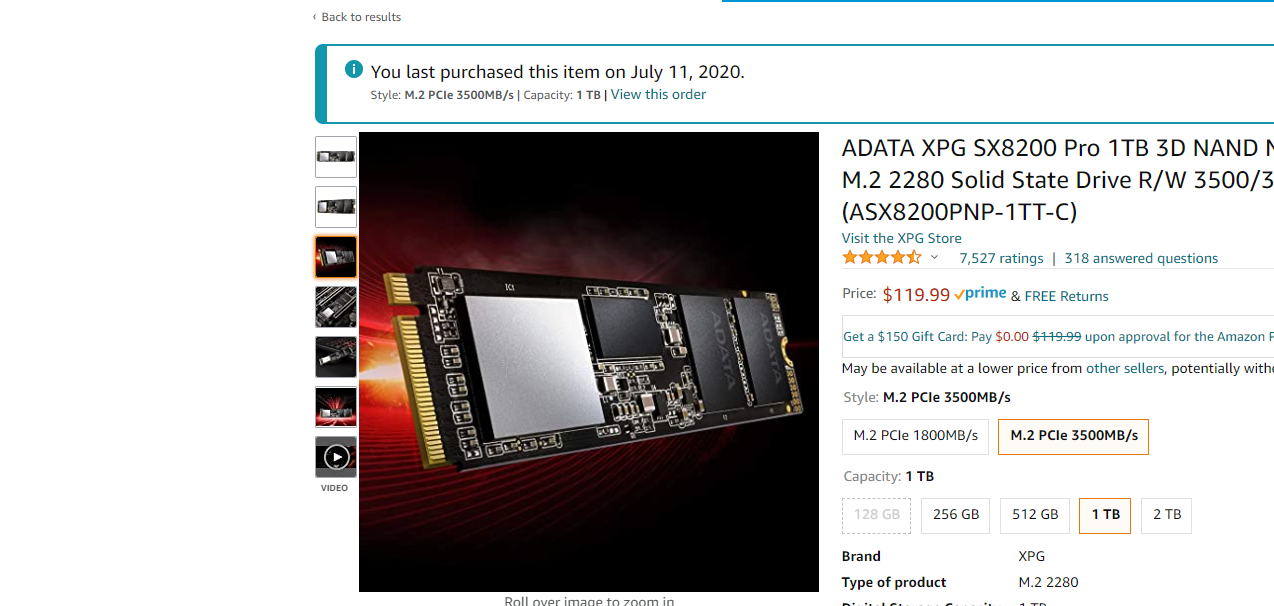
A Great M.2 (review at bottom of page)

Give this a look, I have two & they're damn near as fast as my Samsung 970 Evo+

When I copy to my 860 Pro 2TB SSD it's usually around 60MB's or less...

Now if you're copying more than 600GB, then you'll see the Samsung pull away.

 
I followed vids on YouTube for the dollar amount you want to spend and add "gaming" to get a basis on parts.

So I would type $600 gaming build.

I have years of experience building when I used to work IT but that was early 2000's but my son wanted a build last year. So I feel a bit rusty as to the newer components of today.

I did it, but this year upgraded it massively.

I got him a 7 series AMD, 64gb RAM, 2TB EVO SSD, and the gpu is nVidia 3070FE. Dual 32" monitors on a deal on Slickdeals. He also has full Valve Index VR set up hanging from the ceiling.

My only gripe, that I learned building AMD is that with his processor, there were steps to upgrading the bios which is a massive headache. Meaning you had to upgrade to v40 of the bios prior to plugging in his new processor then boot then I could upgrade to the current version which is v51. Learned that from others who ran into the issue that the processor wasn't recognized at all by older versions of the bios.

Said all that to say, I'd suggest following builds that others have tried and tested prior to just buying a set of parts that won't work well or you may be creating a bottleneck with speeds of different components.

I suggest buying SSD for any PC today and buy quality like Crucial or Samsung EVO. I've replaced the drive in my 3yr old laptop and that thing boots to windows in 30 secs. Blazing fast. Did the same on my son's PC. Many of his games he gets 90fps and up. Which is his gauge for the speed of the pc.

Also your power supply unit is important as well if you will have a powerful GPU. All along he had a 600w and I replaced it with an 850w after I got him the 3070FE. And the computer was night and day. Never knew the PSU made such a difference on gaming desktops.

I am on the lookout for a 3080FE if any become available.

Sorry for the long post, but I'm probably over $2k now on all his parts over time. You gotta see Flight Simulator on dual 32" screens, sick.
Was trying to get him a yoke controller for it, but they blew up in price and there's barely anyone that had them when I last looked.
 
/\/\/\

AMD growing pains. Some Motherboard makers are now making the board where u don't need a cpu to do bios upgrades.

U plug in a usb drive with the bios image, power on and hit the bios flash button either on the board or the back IO plate.
 
/\/\/\

AMD growing pains. Some Motherboard makers are now making the board where u don't need a cpu to do bios upgrades.

U plug in a usb drive with the bios image, power on and hit the bios flash button either on the board or the back IO plate.
Yeah this board does it. He has the Aorus 450. Issue was I plug in the processor, wouldn't boot. Ended up driving back to MicroCenter, replaced it. Same thing. So went to the web and after looking and looking, found that you had to jump thru hoops to get it to work. Couldn't just upgrade the bios to the latest. Was dumb. Had to do it in stages.

But it's a very good board. You can have dual bios's.
 
I went with the Fractal Define R6.


FRACTALDESIGN_FDCADEFR6GYTG-01.png
 
Yeah this board does it. He has the Aorus 450. Issue was I plug in the processor, wouldn't boot. Ended up driving back to MicroCenter, replaced it. Same thing. So went to the web and after looking and looking, found that you had to jump thru hoops to get it to work. Couldn't just upgrade the bios to the latest. Was dumb. Had to do it in stages.

But it's a very good board. You can have dual bios's.

Next time ask Microcenter to update the bios. for a lot of b450 x470 boards, they were proactively updating them last year, so they may have done it for free if it was one they missed or you purchased the chip within the last two weeks. Otherwise, it's $30.
 
This might come across as a stupid question, so pardon my ignorance.

How difficult is it to build a computer?

Is the configuration of the BIOS the biggest challenge?

Thanks in advance.

If it's nothing major I'd probably go with a intel I3 build for light work, gaming....

also cheaper ram since it's not needed to be running at higher speeds...

the I3-10100 only needs 2666mhz and that's a great bargain....

real expense is the gpu due to the shortage right now, I bought my 570 8 gig MSI in 19 for 155, it's on Ebay at 230 for 5 days left....

Everything else should be a breeze...
 
Next time ask Microcenter to update the bios. for a lot of b450 x470 boards, they were proactively updating them last year, so they may have done it for free if it was one they missed or you purchased the chip within the last two weeks. Otherwise, it's $30.
Bought it in the summer of 2018.
Now upgraded two different processors since. Was long ago. I'm just for years used to Intel, never had AMD in the crib. My son kept telling me how they are good for gaming on a budget. So pulled the switch. Changed everything but the board since '18. Great board for future proofing over time.
 
Yo 4 Dimension.. You should roll with AMD Ryzens.. I have 2 and they're slaughtering Intel on processing vs Price..
AMD Ryzen 9 3900X 12-core - My Desktop
AMD Ryzen Threadripper 3960X 24-Core, 48-Thread - Media Production, GeForce RTX 2060 Graphics Card (ray tracing) (music, video)

I'm putting together a hardware list and am considering using AMD instead of Intel.

What motherboard do you recommend for the AMD Ryzen 9 3900X 12-core?
 
I'm putting together a hardware list and am considering using AMD instead of Intel.

What motherboard do you recommend for the AMD Ryzen 9 3900X 12-core?

What specifically are you trying to do? What particular options are you looking for? You'll most likely need to be worried about the chipset as they're what gives the motherboards their functionality. To me the best ones have multiple nvme support..
 
My son is doing GIS work (and video editing) and needs something stronger than the "off the shelf' system currently being used.

Uses ArcGIS for GIS work and he edits video with Adobe Premiere Pro. He also streams videos from Netflix, Amazon, etc.

Plays games every once in a while.

As far as budget, I'm good with a $2,000 budget.

Current Computer Specs:
NVIDIA GeForce GTX 1060 6GB
Intel i7-7700 CPU @ 3.60GHz
32GB of RAM
2TB SSD
500 Watt Power Supply

I want to build a computer that will be a workhorse.
 
Last edited:
1st - At least a RTX 2060 graphics card as that will help with the graphics applications due to its ray tracing capabilities.
2nd - make sure the motherboard has at least 1 nvme slot for the nvme drive that you will want to use.. (blazing)
3rd - 32 gigs of ram minimum
4th - 800+ watt Power Supply..
 
My son is doing GIS work (and video editing) and needs something stronger than the "off the shelf' system currently being used.

Uses ArcGIS for GIS work and he edits video with Adobe Premiere Pro. He also streams videos from Netflix, Amazon, etc.

Plays games every once in a while.

As far as budget, I'm good with a $2,000 budget.

Current Computer Specs:
NVIDIA GeForce GTX 1060 6GB
Intel i7-7700 CPU @ 3.60GHz
32GB of RAM
2TB SSD
500 Watt Power Supply

I want to build a computer that will be a workhorse.
Yes you can easily build something that will be a beast for $2k. I would increase my power supply but our specs will be more tha enough.
 
Anyone know where I can get a legit genuine windows key no bullshit for cheap? Or you gotta get one from Microsoft Store?
 
My son is doing GIS work (and video editing) and needs something stronger than the "off the shelf' system currently being used.

Uses ArcGIS for GIS work and he edits video with Adobe Premiere Pro. He also streams videos from Netflix, Amazon, etc.

Plays games every once in a while.

As far as budget, I'm good with a $2,000 budget.

Current Computer Specs:
NVIDIA GeForce GTX 1060 6GB
Intel i7-7700 CPU @ 3.60GHz
32GB of RAM
2TB SSD
500 Watt Power Supply

I want to build a computer that will be a workhorse.

If you can find one, a 5950x or 5900x will be a great choice. A B550 motherboard will be cheaper than a X570 motherboard but it will only support gen 3 pcie from the chipset (gen 4 from the CPU). This'll usually only matter if you want to run multiple gen 4 drives.

Newer GPUs are frequently out of stock and are $100 over msrp. Used GPUs are too expensive for how old they are imo. If you can wait until Nvidia restarts production of the RTX 2060 super, that might be the best way.

750-850W power supply is the sweet spot for enthusiasts.
 
Anyone know where I can get a legit genuine windows key no bullshit for cheap? Or you gotta get one from Microsoft Store?

I can't vouch for the company, but the tech sites frequently run advertisements for them.


I can't vouch for the company, but the tech sites frequently run advertisements for them.


Yea I be seeing those but not sure if I trust them sites like that.
 
I install Linux Mint 20.1 and it’s fantastic. I had zero issues. All hardware was recognized with no issue. This is an awesome OS. So simple to use.
 
Results are in. My new build (i9, 32 gigs of Ram, m.2 ssd) is 3 times faster than my 2015 build (amd fx 8350, 24 gigs of Ram, 1TB rpm drive).

What I can do in 5 minutes on my new build takes 15 minutes on my old one.
 
Back
Top