
You are using an out of date browser. It may not display this or other websites correctly.
You should upgrade or use an alternative browser.
You should upgrade or use an alternative browser.
need help tech question
- Thread starter dbluesun
- Start date


Go to the control panel......click on Programs & Features.....anyone know how to delete old windows update to clear up space
the usual methods don't give me the option to manually delete them off of C drive
thanks in advance
on the left margin, click on "View Installed updates".
Then highlight and select the various windows updates that you want to remove and click on "Uninstall".
(You can only do them one by one.)

How to Delete Old Windows Update Filesanyone know how to delete old windows update to clear up space
the usual methods don't give me the option to manually delete them off of C drive
thanks in advance
Open the Start menu, type Control Panel, and press Enter.
Go to Administrative Tools.
Double-click on Disk Cleanup.
Select Clean up system files.
Mark the checkbox next to Windows Update Cleanup.
If available, you can also mark the checkbox next to Previous Windows installations.

I tried that and I don't have that optionHow to Delete Old Windows Update Files
Open the Start menu, type Control Panel, and press Enter.
Go to Administrative Tools.
Double-click on Disk Cleanup.
Select Clean up system files.
Mark the checkbox next to Windows Update Cleanup.
If available, you can also mark the checkbox next to Previous Windows installations.
i'm trying this nowGo to the control panel......click on Programs & Features.....
on the left margin, click on "View Installed updates".
Then highlight and select the various windows updates that you want to remove and click on "Uninstall".
(You can only do them one by one.)
thanks dawg but this is not workingi'm trying this now
i'm hoping to avoid having to reinstall windows
which version of windows are you running?thanks dawg but this is not working
i'm hoping to avoid having to reinstall windows

He still on 7which version of windows are you running?
10which version of windows are you running?
I've been trying for an hour to clear up space but no go
which folder is most of your space being taken up?10
I've been trying for an hour to clear up space but no go

The largest files may be vids downloaded to your Downloads or Documents folders10
I've been trying for an hour to clear up space but no go
You shouldn't be deleting Updates.
The only other thing that really from Windows that may take up space that isn't needed, are Windows Installer files. But as @Coldchi said, should do a Disk Cleanup or as I stated to look for what vid files may be taking up a lot of storage. Clear your browser cache, which could be around 1gb at times.
try launching control panel as the admin10
I've been trying for an hour to clear up space but no go
How to Open the Control Panel as an Administrator in Windows
I did a random check on my computer after this thread was made and looked in the "C:\Users\(Local User)\dwhelper" folder......and i had like 23 gb of shit in there from movies and music that had been downloaded twice.....i deleted all that shit..The largest files may be vids downloaded to your Downloads or Documents folders
You shouldn't be deleting Updates.
The only other thing that really from Windows that may take up space that isn't needed, are Windows Installer files. But as @Coldchi said, should do a Disk Cleanup or as I stated to look for what vid files may be taking up a lot of storage. Clear your browser cache, which could be around 1gb at times.
Most don't know how to set up drives when setting up windows but I usually create a C and D partition.I did a random check on my computer after this thread was made and looked in the "C:\Users\(Local User)\dwhelper" folder......and i had like 23 gb of shit in there from movies and music that had been downloaded twice.....i deleted all that shit..
Like my laptop has a 2TB drive, I create a partition for windows and all programs for C of 500gb.
Then all files or data goes to D which is the remainder, about 1.4TB saving all stuff there.
The C partition, if anything happens or goes bad, I can always wipe windows and my data or files aren't touched on the second partition or D drive
Just something I've always done from my IT days.
i just put in a bathroom subfloor and don't feel like messin wit this laptop right now
but fyi this laptop only has 30g of hd and windows takes up most of that
I don't save anything to the C drive stopped that yrs ago
I only use this to browse cause it has a 15 inch screen
I store stuff elsewhere so all my folders are empty
I use ccleaner to keep the damn thing running but it has crashed and firfox has crashed and when I try
reinstalling them both say there is not enough room on C to install them
but fyi this laptop only has 30g of hd and windows takes up most of that
I don't save anything to the C drive stopped that yrs ago
I only use this to browse cause it has a 15 inch screen
I store stuff elsewhere so all my folders are empty
I use ccleaner to keep the damn thing running but it has crashed and firfox has crashed and when I try
reinstalling them both say there is not enough room on C to install them
i try not to save anything of relative importance on my C: drive.Most don't know how to set up drives when setting up windows but I usually create a C and D partition.
Like my laptop has a 2TB drive, I create a partition for windows and all programs for C of 500gb.
Then all files or data goes to D which is the remainder, about 1.4TB saving all stuff there.
The C partition, if anything happens or goes bad, I can always wipe windows and my data or files aren't touched on the second partition or D drive
Just something I've always done from my IT days.
i save everything to externals or in the cloud
a 30GB harddrive?i just put in a bathroom subfloor and don't feel like messin wit this laptop right now
but fyi this laptop only has 30g of hd and windows takes up most of that
I don't save anything to the C drive stopped that yrs ago
I only use this to browse cause it has a 15 inch screen
I store stuff elsewhere so all my folders are empty
I use ccleaner to keep the damn thing running but it has crashed and firfox has crashed and when I try
reinstalling them both say there is not enough room on C to install them
what in the entire fuck .....lol.
the fuck kinda laptop u got my dude.....a fuckin Gateway Solo? lol

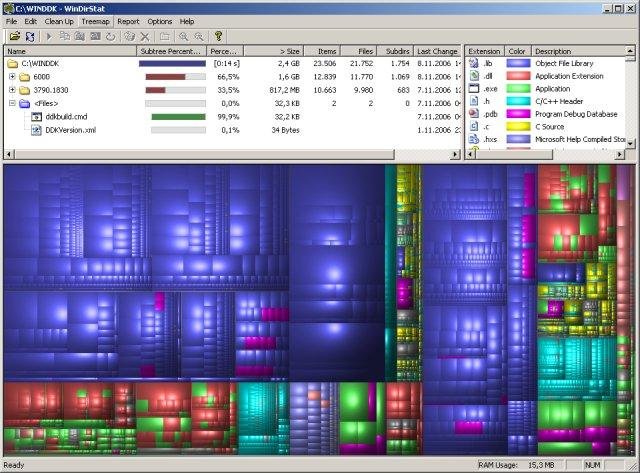
Try WinDirStat, it's a good tool to visualize what's taking up space. pagefile.sys is the usual culprit often taking up 10GB+.i just put in a bathroom subfloor and don't feel like messin wit this laptop right now
but fyi this laptop only has 30g of hd and windows takes up most of that
I don't save anything to the C drive stopped that yrs ago
I only use this to browse cause it has a 15 inch screen
I store stuff elsewhere so all my folders are empty
I use ccleaner to keep the damn thing running but it has crashed and firfox has crashed and when I try
reinstalling them both say there is not enough room on C to install them

man I had to be drunk and high when I bought ita 30GB harddrive?
what in the entire fuck .....lol.
the fuck kinda laptop u got my dude.....a fuckin Gateway Solo? lol
once I relized how small the hd was I bought another laptop

How to Delete Old Windows Update Files
Open the Start menu, type Control Panel, and press Enter.
Go to Administrative Tools.
Double-click on Disk Cleanup.
Select Clean up system files.
Mark the checkbox next to Windows Update Cleanup.
If available, you can also mark the checkbox next to Previous Windows installations.
This is the right answer.

man his computer has a 30gb harddrive.........a new computer is the right answer......lolThis is the right answer.
If you have a micro SD slot you can add 128gb or more with ease.
Well damn. Windows alone can take up 20gb or more.
man his computer has a 30gb harddrive.........a new computer is the right answer......lol
Well damn. Windows alone can take up 20gb or more.
i found out how
i used method 4
i had tried the first three methods a week ago to no avail
https://www.ubackup.com/data-recovery-disk/delete-windows-update-files-windows-10-1220.html
i used method 4
i had tried the first three methods a week ago to no avail
https://www.ubackup.com/data-recovery-disk/delete-windows-update-files-windows-10-1220.html
Similar threads

- Replies
- 3
- Views
- 111

- Replies
- 6
- Views
- 158


- Replies
- 3
- Views
- 115


- Replies
- 0
- Views
- 63
