


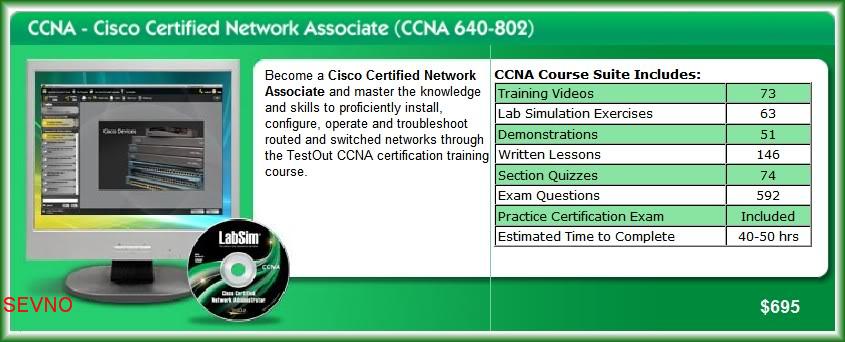
TestOut - CCNA 640-801 & 640-802 Labs (Complete) | 1.73 GB
To install TestOut 640-802 you need to 1st have 640-801 installed(I have tested this out on Windows 7 x64).
TestOut CCNA (640-802) Outline
Videos: 73 (7:56)
Demonstrations: 51 (6:13)
Animations: 10
Simulations: 63
Fact Sheets: 146
Exams: 74
Hands-on Labs
The CCNA certification exam includes performance-based questions that require you to complete switch and router configuration or troubleshooting tasks. For this reason, you will not be able to get certified without hands-on experience. TestOut LabSim for CCNA fully prepares you for the certification exam by giving you practice in a virtual environment using our patented online labs. Here are many of the tasks you will practice:
Configure basic device settings (hostname, passwords, banners)
Configure CDP settings
Enable and disable switch ports
Configure and enable router interfaces
Configure a wireless client
Configure router serial interfaces
Configure VLANs, trunking, and VTP
Configure spanning tree
Secure routing traffic using access lists
Configure and troubleshoot routing protocols (RIP, OSPF, EIGRP)
Configure Frame Relay (static, point-to-point, multipoint)
Configure NAT
***Please read the instruction and you must installed old version***
How to bypass TestOut's CCNA 640-802 activation & enable the simulations using their old 640-801 edition.
Make sure you have both versions of Testout's CCNA edition's. 640-801 & 640-802.
I used Disc Images (ISOs) and mounted them with Daemon-Tools.
1. Install Testout CCNA 640-801. Make sure you choose to install the entire thing onto your hard drive.
I'm not sure if it will run without doing an update after the install but I did it anyways. Choose NOT to launch the Testout Navigator and finish the install.
2. Mount or Insert the TestOut 640-802 iso/disc but DO NOT install it. Close the setup.
3. Open the CD drive
where the iso/disc is mounted, goto :\Testout . Select and copy every folder.
4. Goto your TestOut's Program Installation folder. \Program Files\Testout and paste the CD contents you selected earlier.. Make sure you overwrite the existing files. Say yes to all.
5. Go into the \Program Files\Testout\Outlines folder and rename c802cle.xml to ccna3cle.xml.
6. Now go back into the CD and navigate into :\Setup\redist\dotnet20 folder and install dotnetfx.exe
7. You are done...Open the Testout Navigator, create a username(for reports don't worry) and Open the 640-801 module. You'll notice that 640-802 will appear and all the router simulations will work.
8. Double Check to see if Updating is disabled.




